
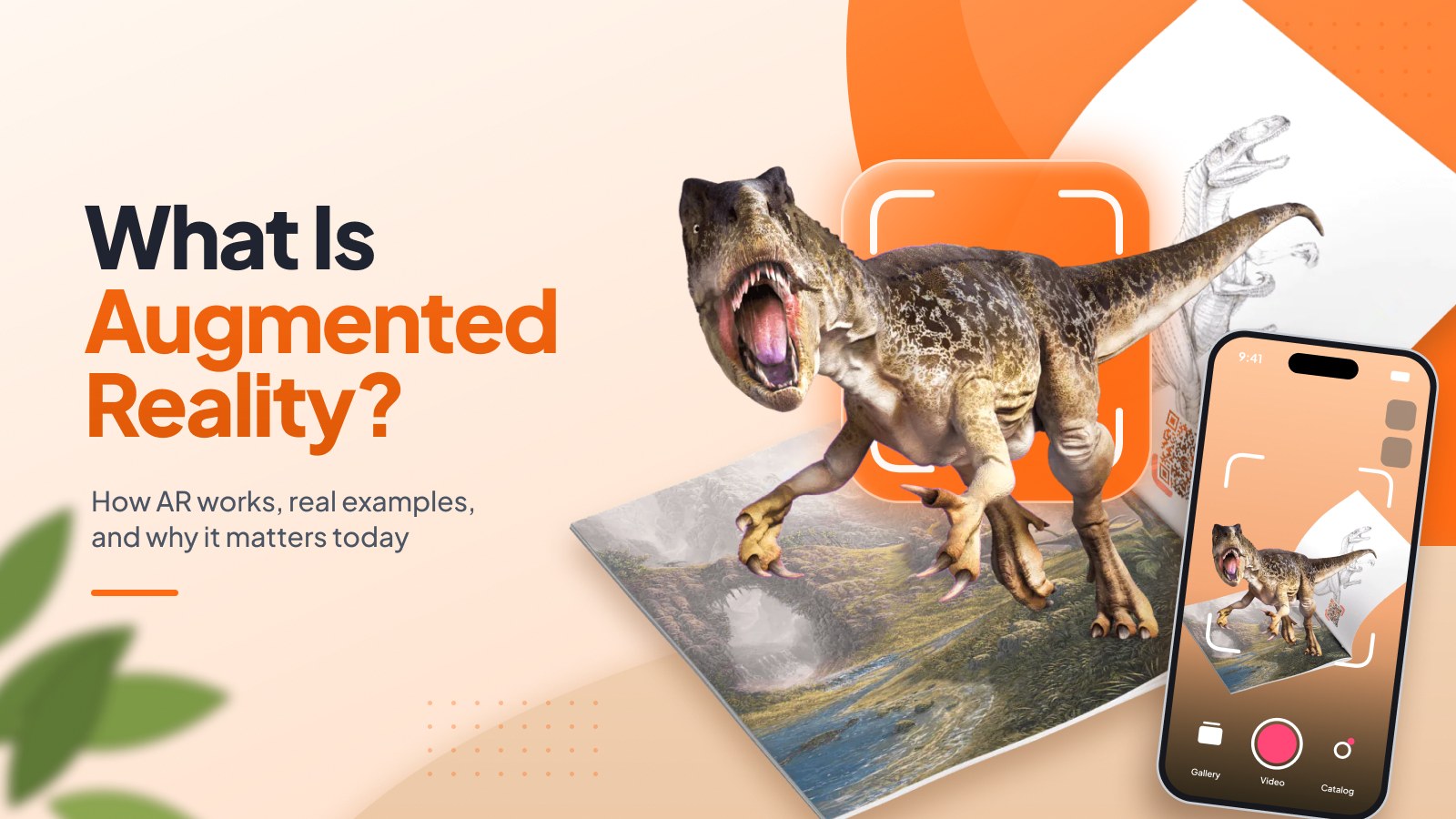
Augmented reality (AR) adds digital content — video, 3D objects, text, or sound — on top of the real world you see through a camera. You point your phone at a photo, a product, or a street, and something appears that isn't physically there: a video plays on a printed card, a sofa stands in your living room, an arrow shows you which way to walk.
If you've used a Snapchat Lens, tried on glasses virtually, or chased a Pokémon down the block, you've already used AR. Snap alone says its community uses AR Lenses 8 billion times a day.
The idea is older than the smartphone. In 1901, The Wizard of Oz author L. Frank Baum imagined a pair of "Character Marker" spectacles in his novel The Master Key: put them on, and a letter appears on each person's forehead revealing their character. Today the spectacles are a phone in your pocket.
This guide explains, in plain English, what AR is, how it works, how it differs from virtual reality, where Americans already use it every day — and how a small business can add it to a physical product without building an app.
If you've used a Snapchat Lens, tried on glasses virtually, or chased a Pokémon down the block, you've already used AR. Snap alone says its community uses AR Lenses 8 billion times a day.
The idea is older than the smartphone. In 1901, The Wizard of Oz author L. Frank Baum imagined a pair of "Character Marker" spectacles in his novel The Master Key: put them on, and a letter appears on each person's forehead revealing their character. Today the spectacles are a phone in your pocket.
This guide explains, in plain English, what AR is, how it works, how it differs from virtual reality, where Americans already use it every day — and how a small business can add it to a physical product without building an app.
AR vs VR vs mixed reality: what's the difference?
The short version: AR adds to the world you see, VR replaces it. Mixed reality sits in between, and XR is the umbrella term for all of them.
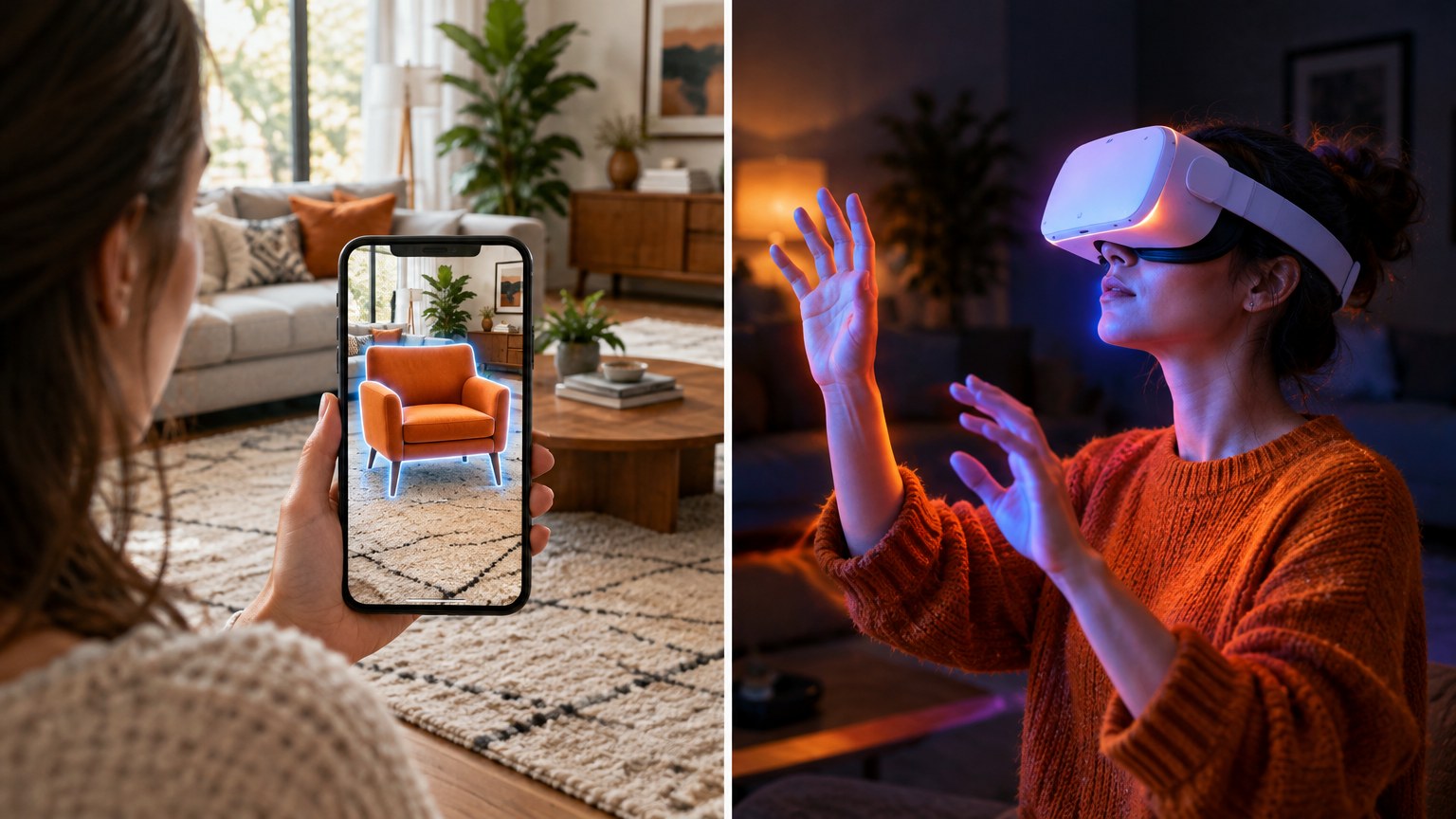
XR (extended reality) is the catch-all term for AR, VR, and MR together.
A simple example of the difference: a furniture store's AR app shows a new sofa standing in your living room through your phone's camera, and you can walk around it. In VR, you'd put on a headset and walk around a virtual showroom instead — your living room disappears.
A simple example of the difference: a furniture store's AR app shows a new sofa standing in your living room through your phone's camera, and you can walk around it. In VR, you'd put on a headset and walk around a virtual showroom instead — your living room disappears.
How does augmented reality work?
Every AR experience, from a Snapchat filter to a scan-to-play photo, runs the same loop: the device sees the scene, understands where things are, draws digital content in the right place, and shows both together. It repeats this many times a second, so the content stays locked in place as you move.
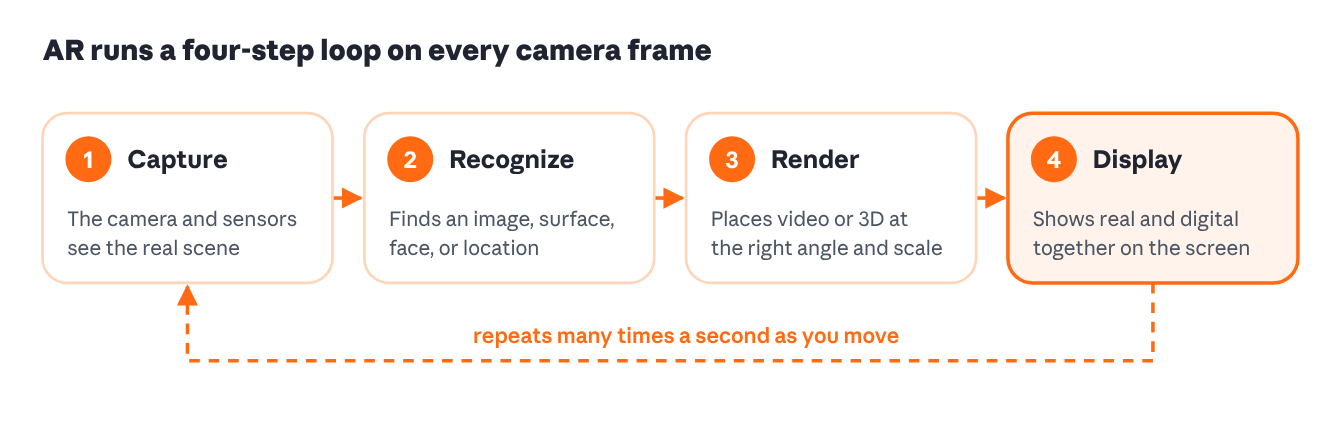
1. Capture. Your phone's camera streams the scene, while the gyroscope and accelerometer report how the phone is tilted and moving.
2. Recognize and track. Computer vision finds something to anchor to: a printed image, a flat surface like a floor or table, a face, or a GPS location. Apple's ARKit and Google's ARCore do this work on most modern iPhones and Android phones.
3. Render. The software places a video, 3D model, or text on that anchor and adjusts its size, angle, and lighting to match the real scene.
4. Display. The screen shows the camera view with the digital layer on top. Move the phone, and the loop starts again from the new angle.
The overlay can be constructive — adding something new, like a video on a postcard — or destructive, hiding or replacing part of what's really there, like a filter that changes your hair color.
2. Recognize and track. Computer vision finds something to anchor to: a printed image, a flat surface like a floor or table, a face, or a GPS location. Apple's ARKit and Google's ARCore do this work on most modern iPhones and Android phones.
3. Render. The software places a video, 3D model, or text on that anchor and adjusts its size, angle, and lighting to match the real scene.
4. Display. The screen shows the camera view with the digital layer on top. Move the phone, and the loop starts again from the new angle.
The overlay can be constructive — adding something new, like a video on a postcard — or destructive, hiding or replacing part of what's really there, like a filter that changes your hair color.
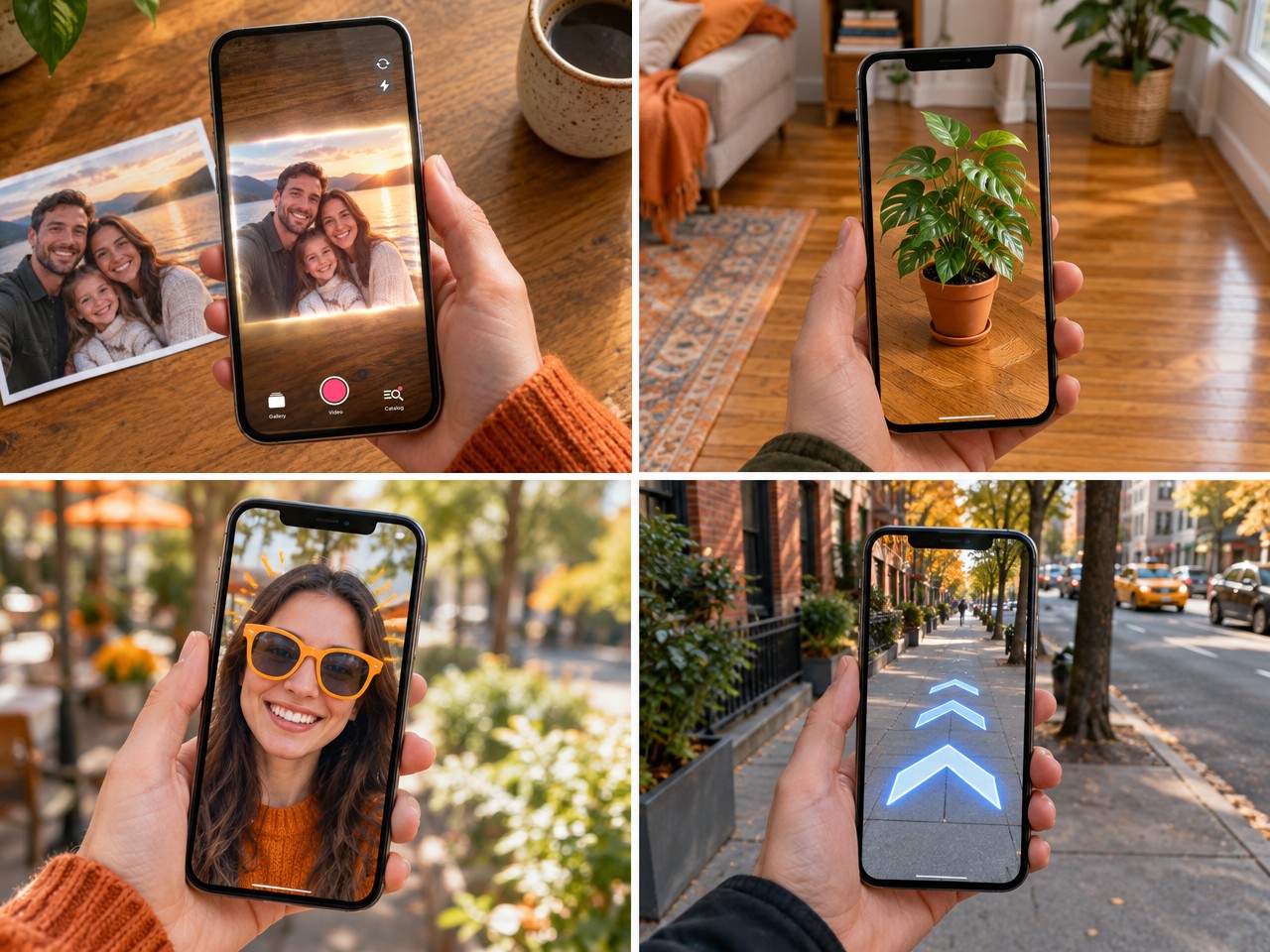
The four main types of AR
What changes from one type of AR to the next is what the software anchors to.
App-based AR vs WebAR
There's one more distinction that matters a lot for businesses: where the AR runs.
- App-based AR needs the customer to download an app first. It can do more, but every download step loses people.
- WebAR runs in the phone's web browser. The customer scans a QR code or taps a link, and the experience opens instantly — no app store, no account.
For a gift, a flyer, or a product package, that difference is huge: the person holding it is more likely to try it when it takes one tap instead of a download.
A short history of AR
AR took about a century to go from a novelist's idea to something in every pocket. The big shift came in 2017, when Apple and Google put AR tools into the phones people already owned.
Where Americans already use AR
AR is no longer a demo at a tech conference. eMarketer estimated that 89.4 million people in the US used AR in 2022, and expected that number to grow by more than 20 million by 2025. Most of them never bought special hardware — they used the phone they already had.
Social media and entertainment
This is where most people meet AR first. Snap reports that its community uses AR Lenses 8 billion times a day, and more than 350 million Snapchatters engage with AR daily. In gaming, Pokémon GO turned AR into a mass habit: players have spent $8.5 billion in the game since 2016.
Shopping and retail
AR lets shoppers see a product in their own space or on their own face before they buy. When IKEA launched its AR app in 2017, it placed more than 2,000 products in customers' rooms, scaled to the room with 98% accuracy. Today, virtual try-on for glasses, makeup, and sneakers is standard in many US retail apps.
Navigation
Google Maps Live View shows arrows and street signs on top of the camera view, so you can see which way to walk instead of turning a blue dot on a map. Airports, malls, and campuses use similar indoor wayfinding.
Healthcare
In 2019, the FDA cleared Augmedics xvision, described as the first AR guidance system used in surgery: a headset shows the surgeon the patient's 3D spine anatomy during the operation. AR is also being tested in rehabilitation. In a study published in The Lancet, 14 arm amputees used AR and gaming to "move" their missing arm; after 12 sessions, one measure of their phantom limb pain fell by 51% (the study had no control group, so the authors call for a larger trial).
Education and museums
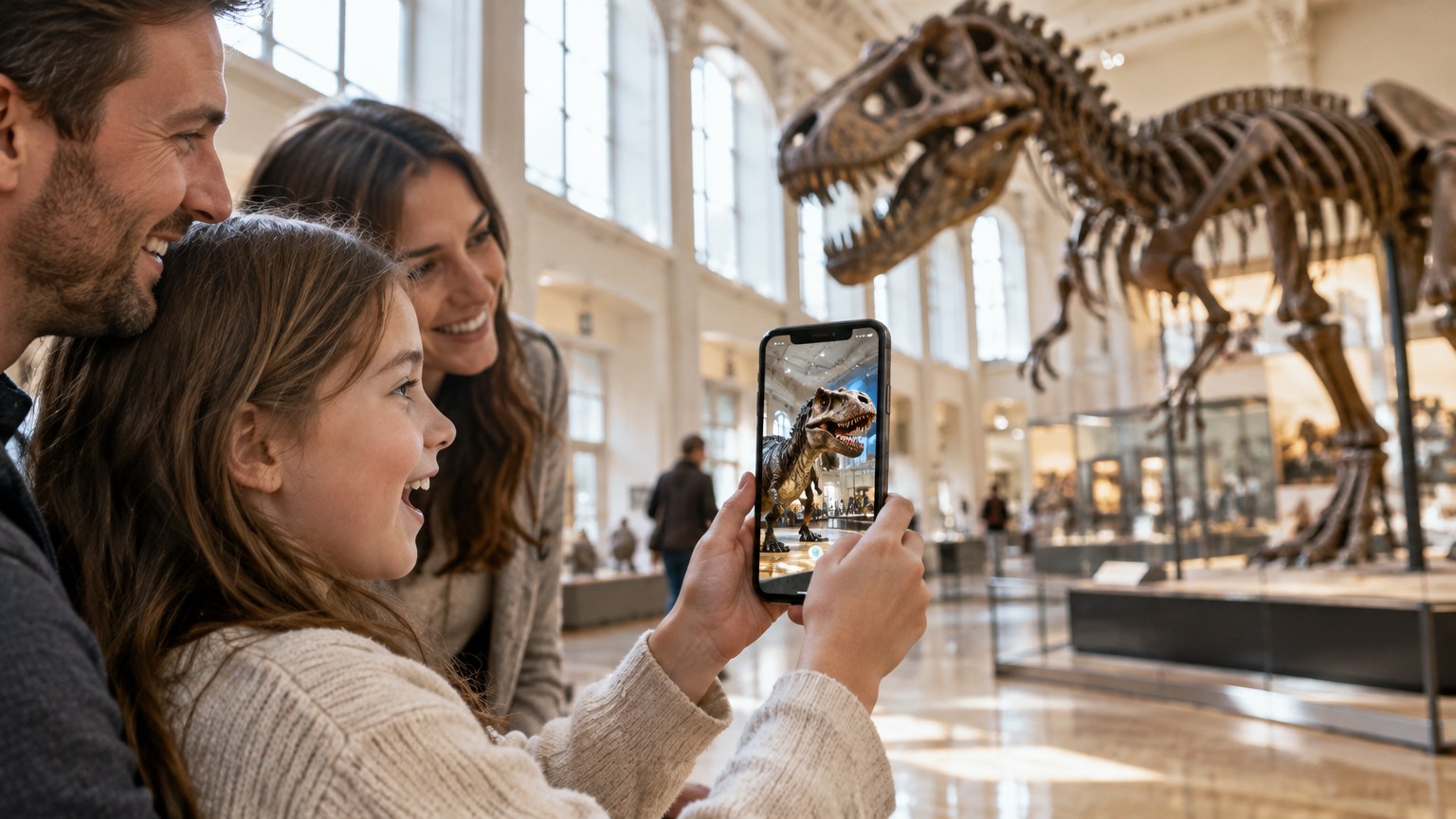
AR turns diagrams into objects students can walk around: a heart that beats, a molecule that rotates, a historical scene rebuilt on a desk. At the Smithsonian's National Museum of Natural History, the Skin & Bones app adds muscles, skin, and movement to 13 skeletons in the Bone Hall when visitors point their phones at them.
Marketing and printed products
Brands use AR to make packaging, posters, and business cards do more than sit there: scan a cosmetics box to watch a how-to video, scan a restaurant menu to see the dish being made, scan a business card to tour the factory. For small businesses, this is the easiest place to start — and the next section explains why.

How small businesses use AR on physical products
You don't need a development team or a big budget to use AR. With image-based WebAR, the product you already sell becomes the trigger: a photo, a card, a label, or a logo. The customer scans it with their phone camera, and a video plays right on top of it.
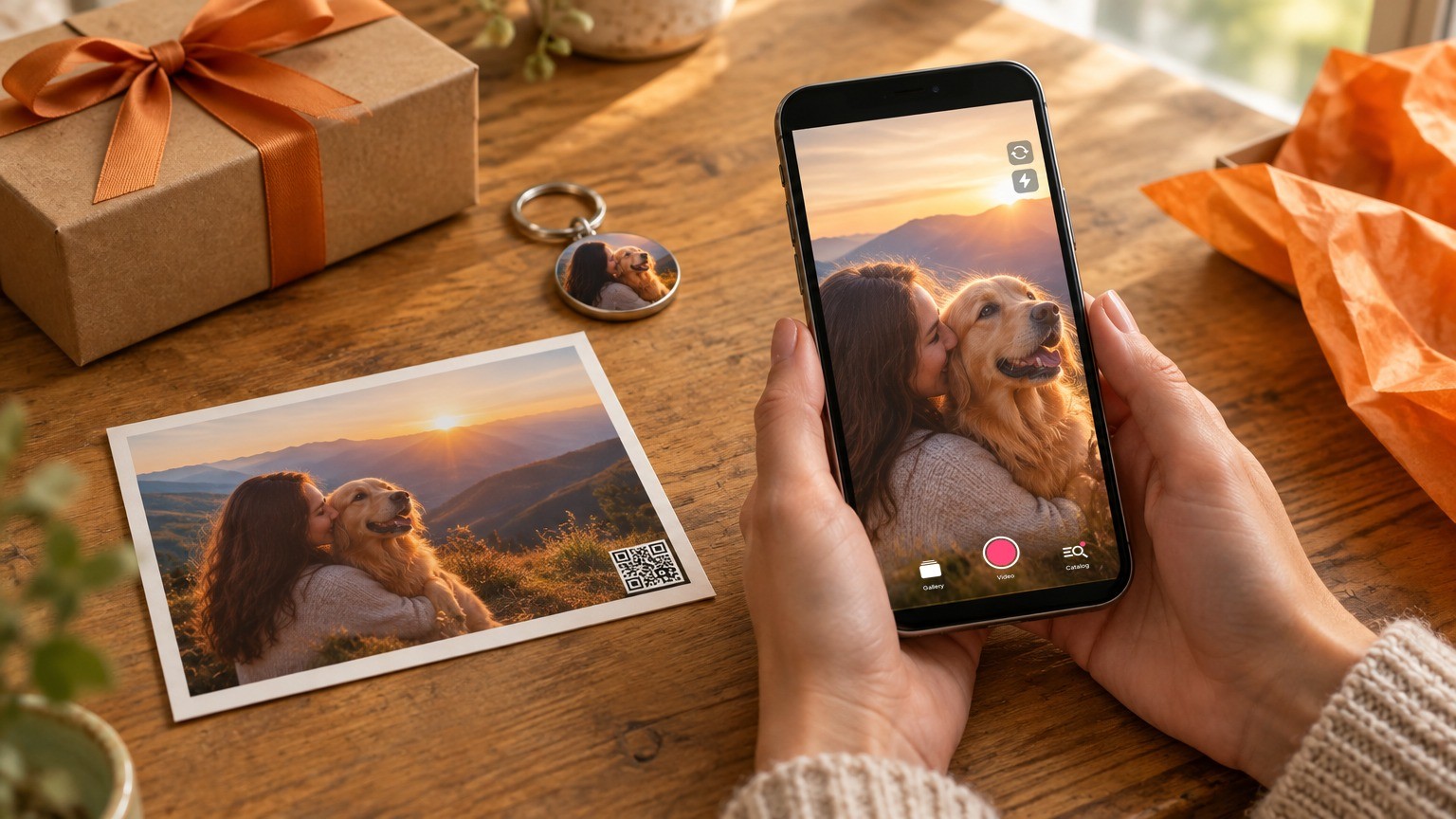
Here are five ways businesses use it today:
- Make the product feel special. A photo keychain, ornament, or magnet that plays a personal video turns a $10 souvenir into a keepsake. Our guide on selling AR souvenirs on Etsy shows how sellers price these at 2× or more.
- Add a "wow" moment to milestones. A graduation album where each student's photo plays a message from classmates, or a wedding thank-you card that plays the first dance.
- Explain the product on the package. A QR code on a cosmetics box or a craft kit opens a how-to video, so customers don't have to search YouTube.
- Tell your brand story. A business card or flyer that plays a 30-second tour of your studio, kitchen, or workshop.
- Collect reviews and content. When a customer scans their gift and records their reaction, you get authentic video for your listings and social media.
Why scan-to-play AR works for gifts
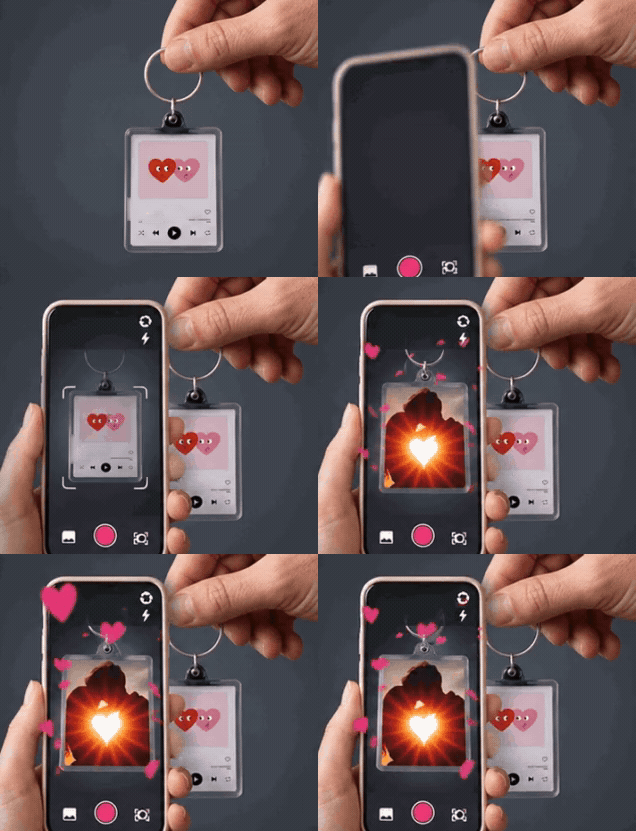
- No app for the customer. They scan the QR code with the phone's camera, then point it at the photo — and the video plays on top of it.
- No change to production. You print the same product, plus a QR code.
- Long videos are fine. With features like Keep playing without aiming, the viewer can lower the phone and keep watching a three-minute toast or speech.
Platforms like AliveIt handle the hosting, the QR codes, and the AR viewer, so a seller can set up the first product in about 10 minutes.
How to start with AR in five steps
- Pick one product that already has an image on it. A photo print, card, magnet, label, or business card. Clear, high-contrast images track best.
- Decide what the video should do. Surprise (a personal message), explain (a how-to), or sell (a product demo). Keep the first one short and simple.
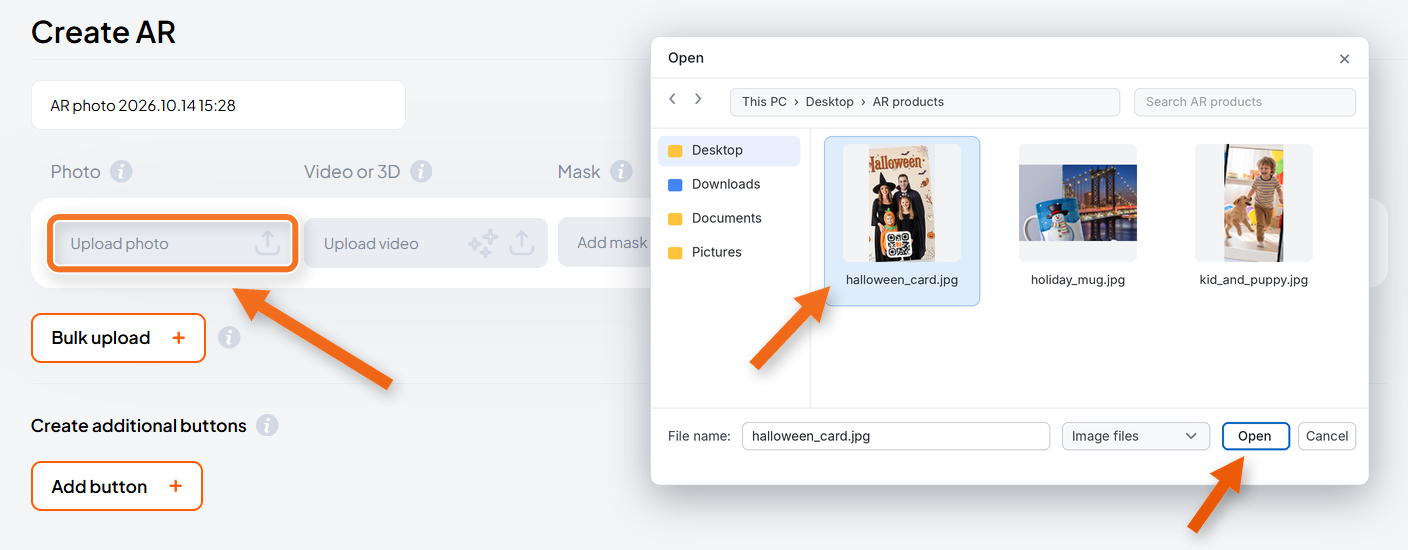
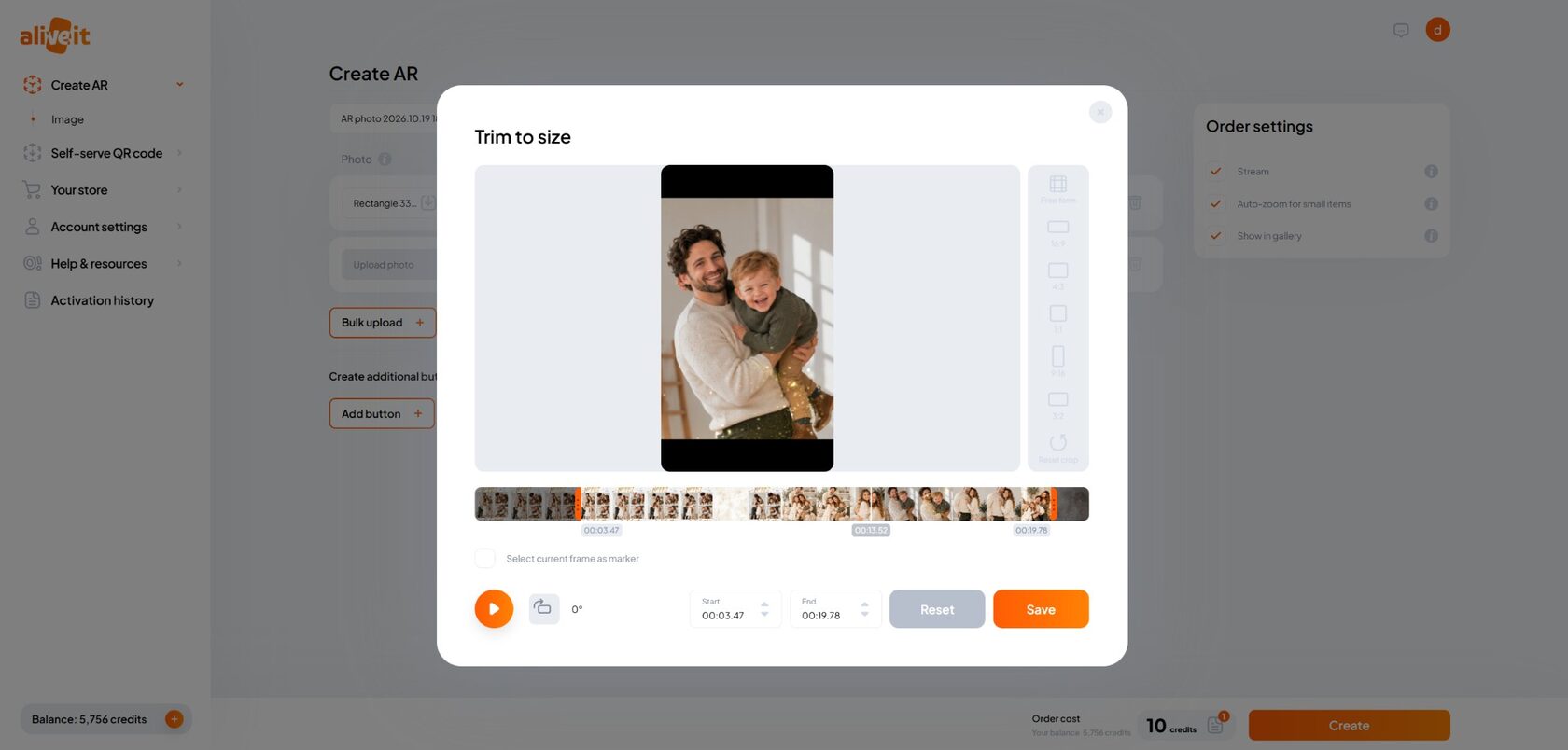
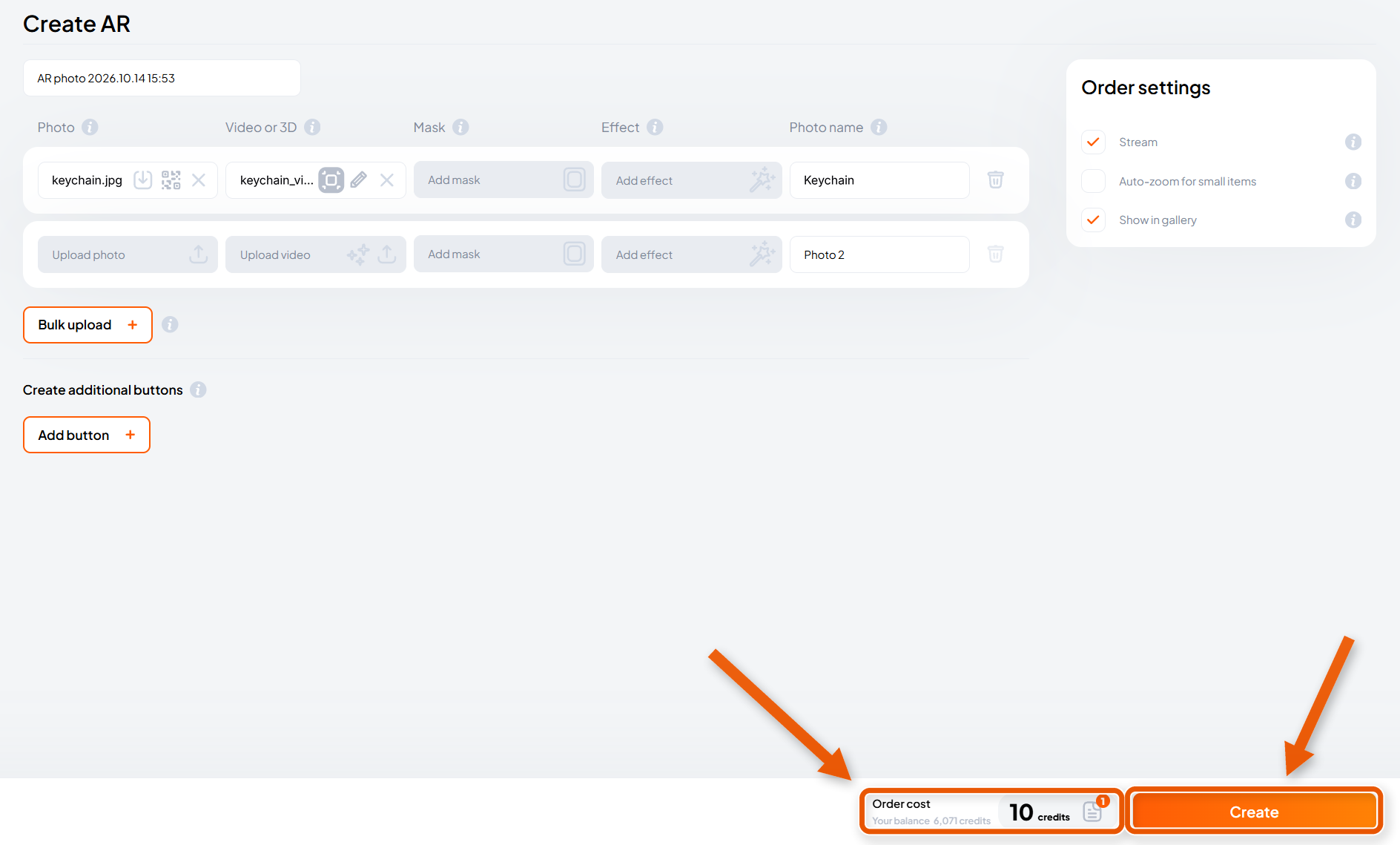
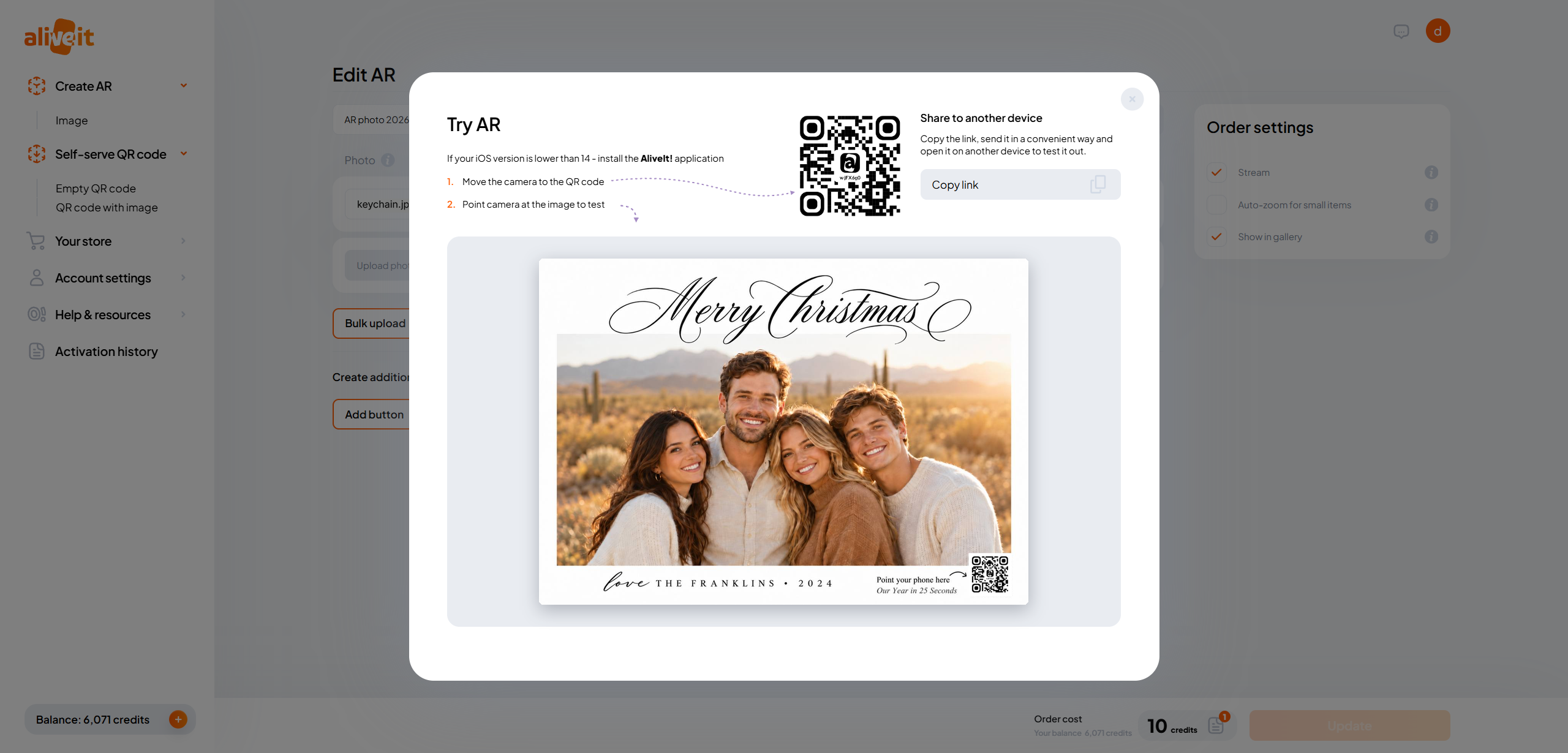
- Create the AR activation. In a WebAR platform like AliveIt, upload the image as the trigger and attach the video. You get a QR code and a scan link.
- Add the QR code to the product. Print it on the product, on an insert card, or on a sticker on the packaging. Add a short line like "Scan to watch — no app needed."
- Test it, then show it off. Scan it on an iPhone and an Android phone. Then film someone scanning it — that clip is your best listing photo and social post.
What it looks like in AliveIt
Here's step 3 in a real AliveIt account, from the dashboard to a QR code you can test right away.
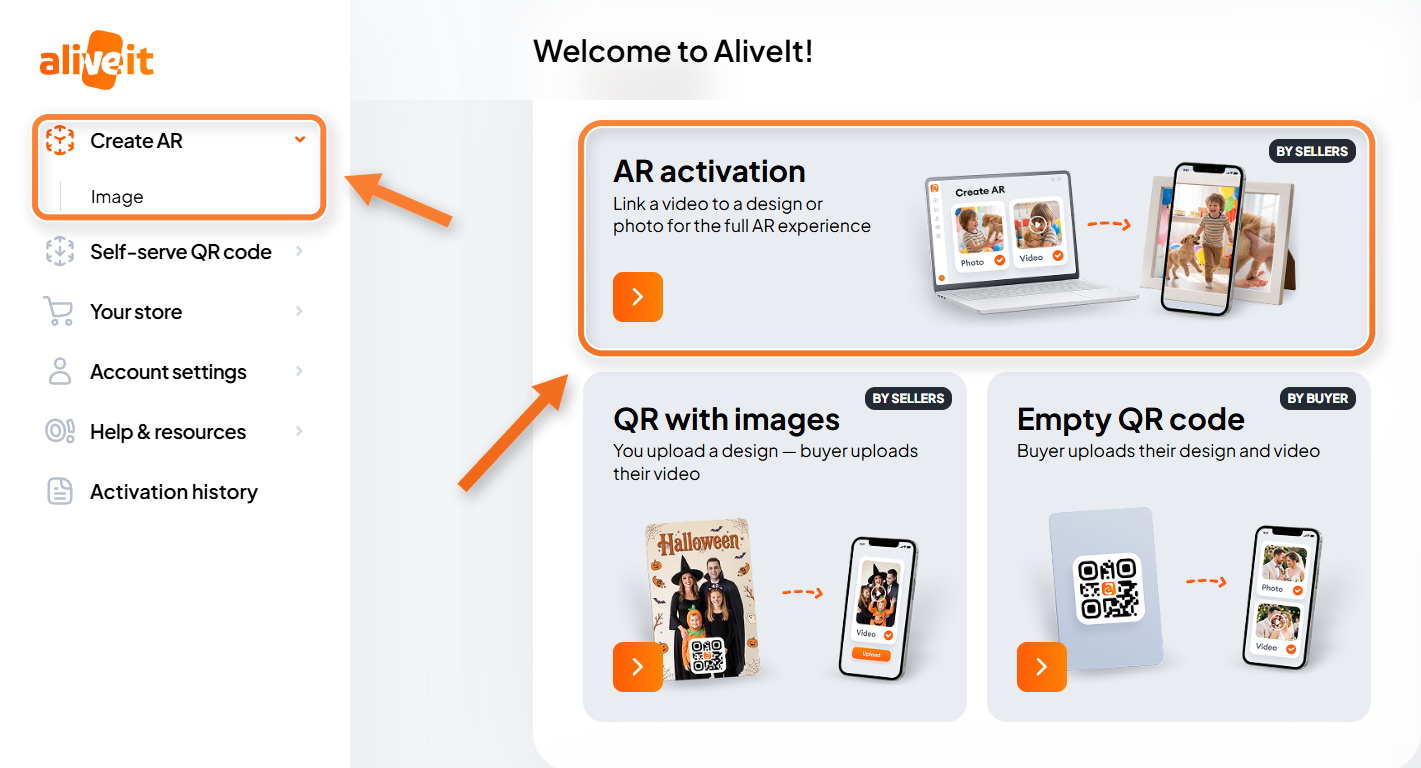
Want every setting explained? See the AliveIt Help Center guide to creating an AR activation.
FAQ
What is augmented reality in simple terms? AR adds digital content — video, 3D objects, or text — to the real world you see through your phone's camera or smart glasses.
What is the difference between AR and VR? AR adds to the real world; VR replaces it with a fully digital one. AR works on any modern phone, while VR needs a headset.
Do I need special glasses to use AR? No. Most AR today runs on ordinary iPhones and Android phones. Headsets like Apple Vision Pro add more immersive experiences, but they aren't required.
Do customers need to download an app? Not with WebAR. The customer scans a QR code with the phone's camera, then points the camera at the image, and the video starts.
What are the most common examples of AR? Social media filters, virtual try-on for glasses and makeup, furniture previews, AR walking directions, Pokémon GO, and printed photos or cards that play a video when scanned.
How much does it cost a small business to use AR? With a WebAR platform, the cost is a subscription or per-activation fee instead of custom development, and the first product can be set up in minutes.
What is the difference between AR and VR? AR adds to the real world; VR replaces it with a fully digital one. AR works on any modern phone, while VR needs a headset.
Do I need special glasses to use AR? No. Most AR today runs on ordinary iPhones and Android phones. Headsets like Apple Vision Pro add more immersive experiences, but they aren't required.
Do customers need to download an app? Not with WebAR. The customer scans a QR code with the phone's camera, then points the camera at the image, and the video starts.
What are the most common examples of AR? Social media filters, virtual try-on for glasses and makeup, furniture previews, AR walking directions, Pokémon GO, and printed photos or cards that play a video when scanned.
How much does it cost a small business to use AR? With a WebAR platform, the cost is a subscription or per-activation fee instead of custom development, and the first product can be set up in minutes.