
Etsy, Amazon Handmade, and Shopify sellers: learn how to add AR video to photo keychains, magnets, and ornaments — and charge 2× more with no extra production cost.
Why AR is a game-changer for Etsy and handmade gift sellers
If you sell personalized gifts on Etsy, Amazon Handmade, or Shopify, you already know the pressure. Photo keychains sell for $8–12. Photo magnets for $5–10. Holiday ornaments for $12–18. And every year, more sellers enter the category with the same products at the same prices.
The usual advice — better photos, lower prices, more keywords — stops working when everyone is doing the same thing.
Personalized souvenirs have always sold on emotion. A keychain with a photo, an ornament with a family portrait, a card with a couple's moment — these products work because they carry a memory. But until now, that memory was static. You bought it, you held it, and the story stopped there.
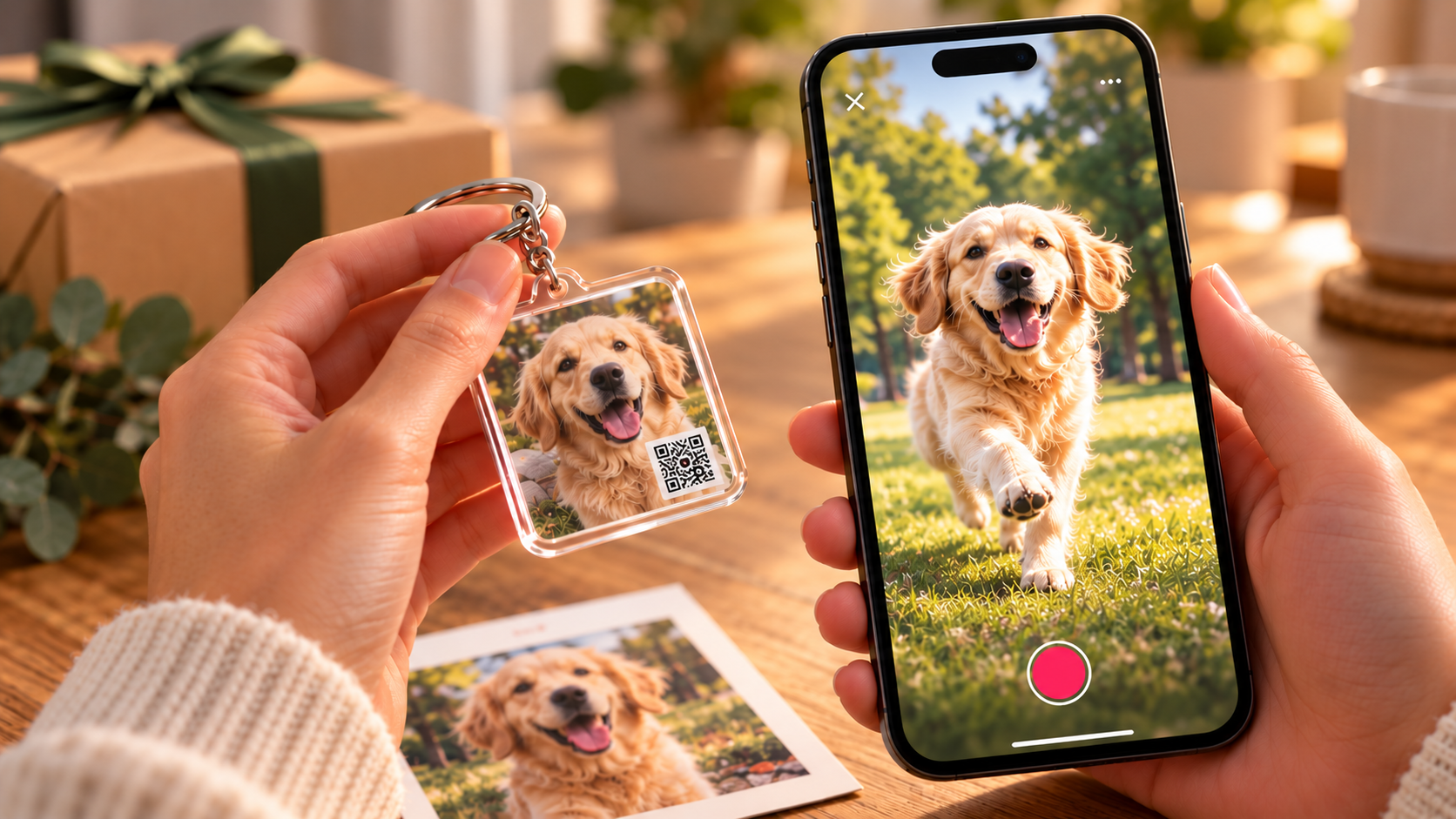
AR (augmented reality) changes that. With AliveIt, you attach a short video to any physical product. When a buyer points their phone camera at the keychain, the photo comes alive. Their pet runs. Their baby laughs. Their couple's wedding moment plays. No app to download. No account to create. Just a QR code on the product and a video attached to it.
This one addition does something most product upgrades can't: it changes how the product feels without changing how it's made. Same production line. Same materials. Same cost to produce. The only difference is a QR code and a video — and that difference is worth far more to your customers than it costs you to create.
The usual advice — better photos, lower prices, more keywords — stops working when everyone is doing the same thing.
Personalized souvenirs have always sold on emotion. A keychain with a photo, an ornament with a family portrait, a card with a couple's moment — these products work because they carry a memory. But until now, that memory was static. You bought it, you held it, and the story stopped there.
AR (augmented reality) changes that. With AliveIt, you attach a short video to any physical product. When a buyer points their phone camera at the keychain, the photo comes alive. Their pet runs. Their baby laughs. Their couple's wedding moment plays. No app to download. No account to create. Just a QR code on the product and a video attached to it.
This one addition does something most product upgrades can't: it changes how the product feels without changing how it's made. Same production line. Same materials. Same cost to produce. The only difference is a QR code and a video — and that difference is worth far more to your customers than it costs you to create.
Three ways to add AR to your product
AliveIt gives you three different formats depending on who creates the content — you as the seller, or your buyer.
This guide covers which products to start with, how to price them at a premium, how to present them to customers, and how to set up AR in under 10 minutes.Give the video a simple beginning, middle, and ending. A welcome, a short memory, and a personal sign-off can be enough. Clear sound and a steady picture usually matter more than elaborate effects.
Which photo products work best with AR
Not every product benefits equally. The strongest performers share one trait: they already carry a photo or image. That image becomes the trigger — the thing the buyer points their camera at to make the video play. No redesign needed. No new supplier. The product you already make becomes the platform.
Photo keychains
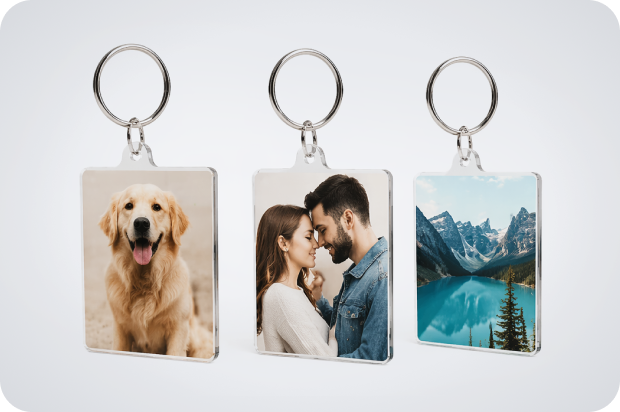
The highest-volume personalized gift category on Etsy — "keychain" ranks in the platform's top 15 searches year-round. Also the easiest first AR product: small, always on the buyer, and the "wow" moment happens anywhere.
Best AR moment: A short video of the subject — a dog running, a baby laughing, a couple at their wedding.
Price lift: Standard photo keychain: $8–15. With AR: $20–35. That is a 2–2.5× increase with no change in how the product is made. Think about how the image will be used. A postcard is held close. A framed print is often seen from farther away. A product package may have only a few seconds to explain what happens next. The layout should make that next step easy to understand.
Best AR moment: A short video of the subject — a dog running, a baby laughing, a couple at their wedding.
Price lift: Standard photo keychain: $8–15. With AR: $20–35. That is a 2–2.5× increase with no change in how the product is made. Think about how the image will be used. A postcard is held close. A framed print is often seen from farther away. A product package may have only a few seconds to explain what happens next. The layout should make that next step easy to understand.
Pet portraits
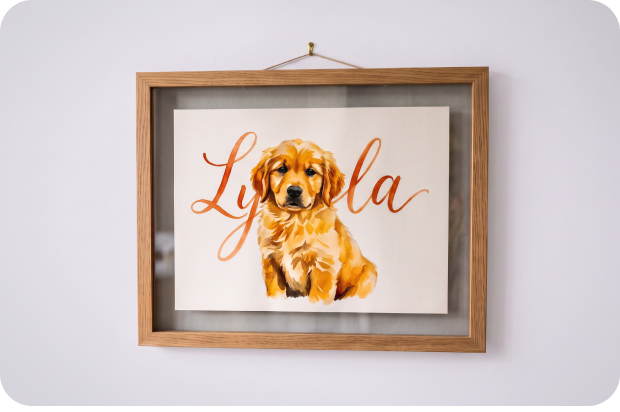
The largest emotional AR category, and the least contested. The personalized pet gift market exceeds $27M/year. Almost no sellers currently offer AR in this space, which means a seller who does stands out immediately.
Works for living pets (playing, looking at camera) and for memorial contexts — a tribute video for a pet that has passed. Memorial buyers are willing to pay significantly more than the average gift buyer.
Best AR moment: The pet running, playing, or a compilation of their best moments.
Price lift: Standard pet portrait print: $15–30. With AR: $35–70.
Works for living pets (playing, looking at camera) and for memorial contexts — a tribute video for a pet that has passed. Memorial buyers are willing to pay significantly more than the average gift buyer.
Best AR moment: The pet running, playing, or a compilation of their best moments.
Price lift: Standard pet portrait print: $15–30. With AR: $35–70.
Holiday cards and photo postcards
Massive market volume — 1.5 billion Christmas cards are sent in the US each year. Adding AR turns a card into a keepsake buyers hold onto instead of throwing away.
Best AR moment: A short video greeting from the sender — a personal message, a family video, or a holiday clip.
Price lift: Standard personalized card: $5–10. With AR: $15–25.
Best AR moment: A short video greeting from the sender — a personal message, a family video, or a holiday clip.
Price lift: Standard personalized card: $5–10. With AR: $15–25.
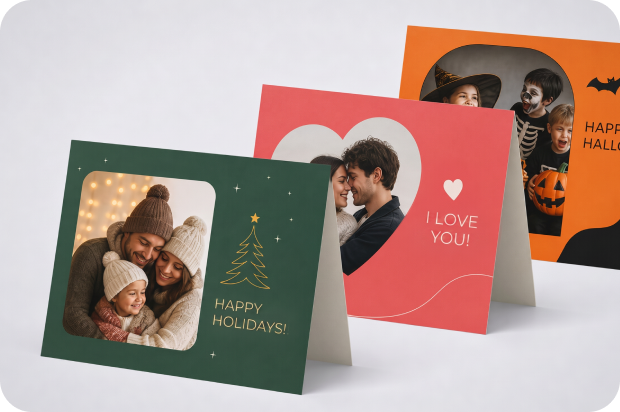
Christmas and holiday ornaments
Ornaments have the highest seasonal spike of any personalized gift category — searches peak in December at 3–4× their summer level. Adding AR turns a one-time purchase into a keepsake buyers bring out every year and show off. Strong performers for family reunion gifts, corporate holiday gifts, and memorial ornaments.
Best AR moment: A family holiday video, a child's message to grandparents, or a year-in-review clip.
Price lift: Standard personalized ornament: $10–20. With AR: $25–45.
Best AR moment: A family holiday video, a child's message to grandparents, or a year-in-review clip.
Price lift: Standard personalized ornament: $10–20. With AR: $25–45.
Photo magnets
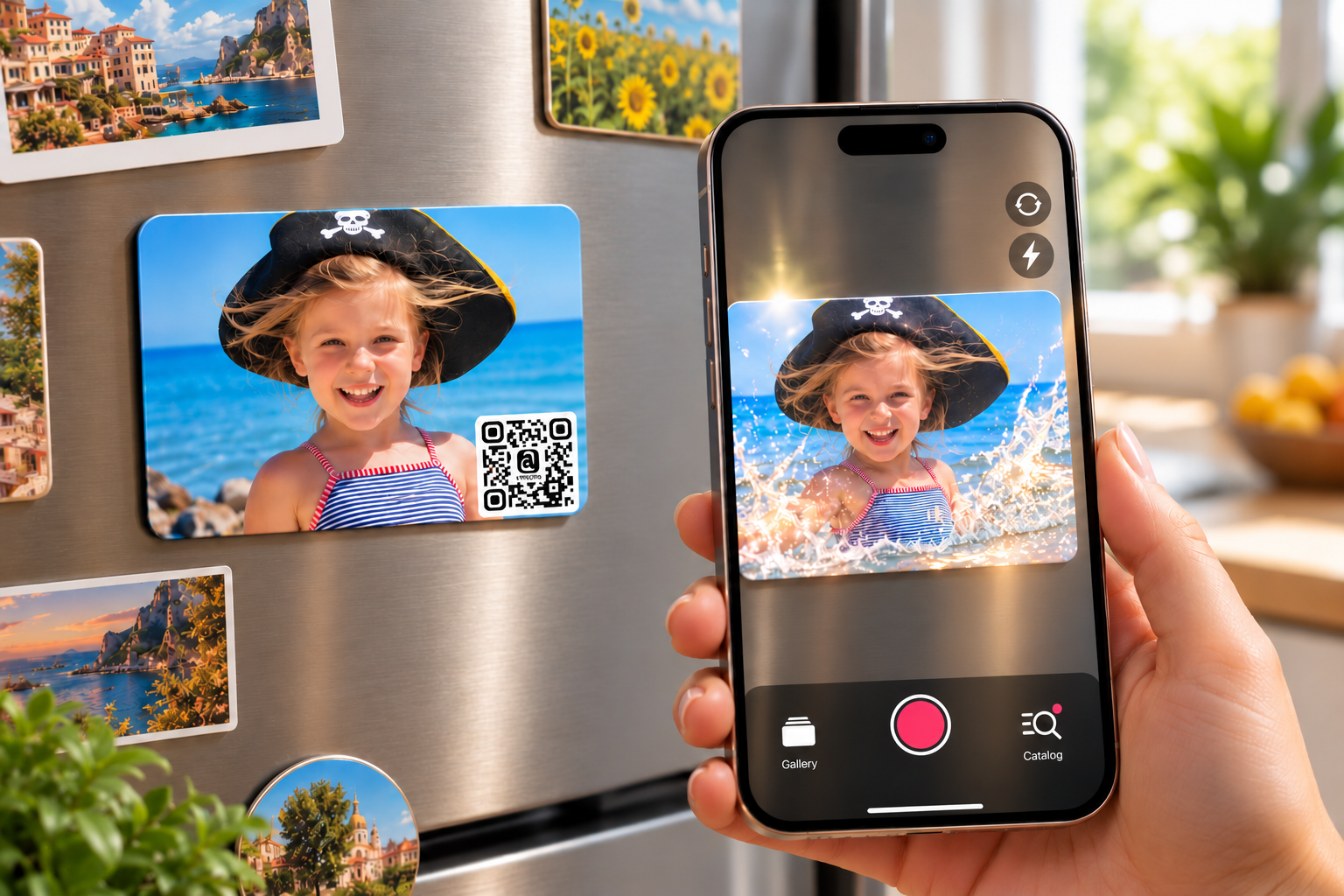
"Photo magnet" draws roughly 33,000 Etsy searches per month, with keyword difficulty rated moderate — meaning a well-optimized listing ranks. Most current listings are priced under $10. An AR version at $15–25 puts you in a completely different price tier with almost no direct competition.
Best AR moment: A pet's reaction, a toddler dancing, a travel memory — something short, warm, and replayable.
Price lift: Standard photo magnet: $3–10. With AR: $15–25.
Variation worth testing: Music-playing magnets that play a specific song when scanned. Strong performers as wedding favors, birthday keepsakes, and holiday gifts. The AR moment is the song plus a short video of the memory the song belongs to.
Best AR moment: A pet's reaction, a toddler dancing, a travel memory — something short, warm, and replayable.
Price lift: Standard photo magnet: $3–10. With AR: $15–25.
Variation worth testing: Music-playing magnets that play a specific song when scanned. Strong performers as wedding favors, birthday keepsakes, and holiday gifts. The AR moment is the song plus a short video of the memory the song belongs to.
Acrylic photo prints and canvas prints
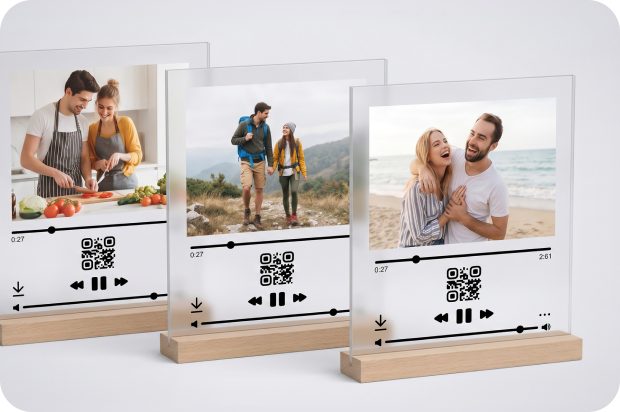
Already a premium product category with premium buyers. AR takes a wall piece from decoration to story. Guests notice the QR code, scan it, and the video plays in the room — a wedding highlight, a travel memory, a birthday tribute. The emotional impact in a live setting is difficult to replicate with any other product upgrade.
Best AR moment: The story behind the photo — a wedding video, a travel highlight, a birthday tribute.
Price lift: Standard acrylic print: $30–60. With AR: $60–120.
Best AR moment: The story behind the photo — a wedding video, a travel highlight, a birthday tribute.
Price lift: Standard acrylic print: $30–60. With AR: $60–120.
More product categories with strong AR potential
AR works on any product that carries an image. These categories have all shown strong results across Etsy, Amazon Handmade, and Shopify sellers:
- Custom mugs — photo mugs, couples mugs, memorial mugs
- Flip boxes / photo boxes — open the lid, scan the image inside
- Custom apparel — hoodies, t-shirts with a printed photo patch
- Business cards — personal brand, realtor, photographer portfolios
- Photo calendars — each month links to a video memory from that period
- Baby milestone prints — monthly milestone photos with video of the moment
- Wedding favors — coasters, frames, small prints with a video from the ceremony
- Memorial products — portrait prints, stones, frames for pet or person tributes
- Travel / resort souvenirs — location-specific prints or magnets with a video of the place
- Gift sets and hampers — a printed card inside the box plays a personal video message; turns a generic hamper into a personal experience without changing the products inside
How to price AR photo products: don't add a small fee, change the category
The most common mistake is adding $3–5 to the existing listing price and calling it the "AR version." That framing keeps the product in the same mental bucket as the standard version and undermines the price increase.
The right approach: treat the AR version as a separate product in a new category.
You are not selling a photo keychain with a bonus feature. You are selling an animated memory. The comparison point for the buyer shifts from "other keychains on Etsy" to "how much would a video of my dog cost to produce?" That question has no good answer — which is exactly why buyers accept prices 2–3× higher without hesitation.
The right approach: treat the AR version as a separate product in a new category.
You are not selling a photo keychain with a bonus feature. You are selling an animated memory. The comparison point for the buyer shifts from "other keychains on Etsy" to "how much would a video of my dog cost to produce?" That question has no good answer — which is exactly why buyers accept prices 2–3× higher without hesitation.
How to position the listing:
- Create a separate listing — don't modify the existing one
- Use "animated," "scan to watch," or "video plays when scanned" in the title — not "AR" or "augmented reality" (those words mean nothing to gift buyers)
- Set the price at minimum 1.5× the standard version; 2× is more defensible and rarely reduces conversion
- Add at least one image or video showing the AR experience in action
Suggested pricing by category
Two strategies for growing revenue with AR — choose your path
AR gives you two distinct levers to grow your income. They require different levels of effort and deliver different types of return. Understanding which one fits your situation is the most important decision you'll make when you start.
Step-by-step: how to add AR to your first product in under 10 minutes
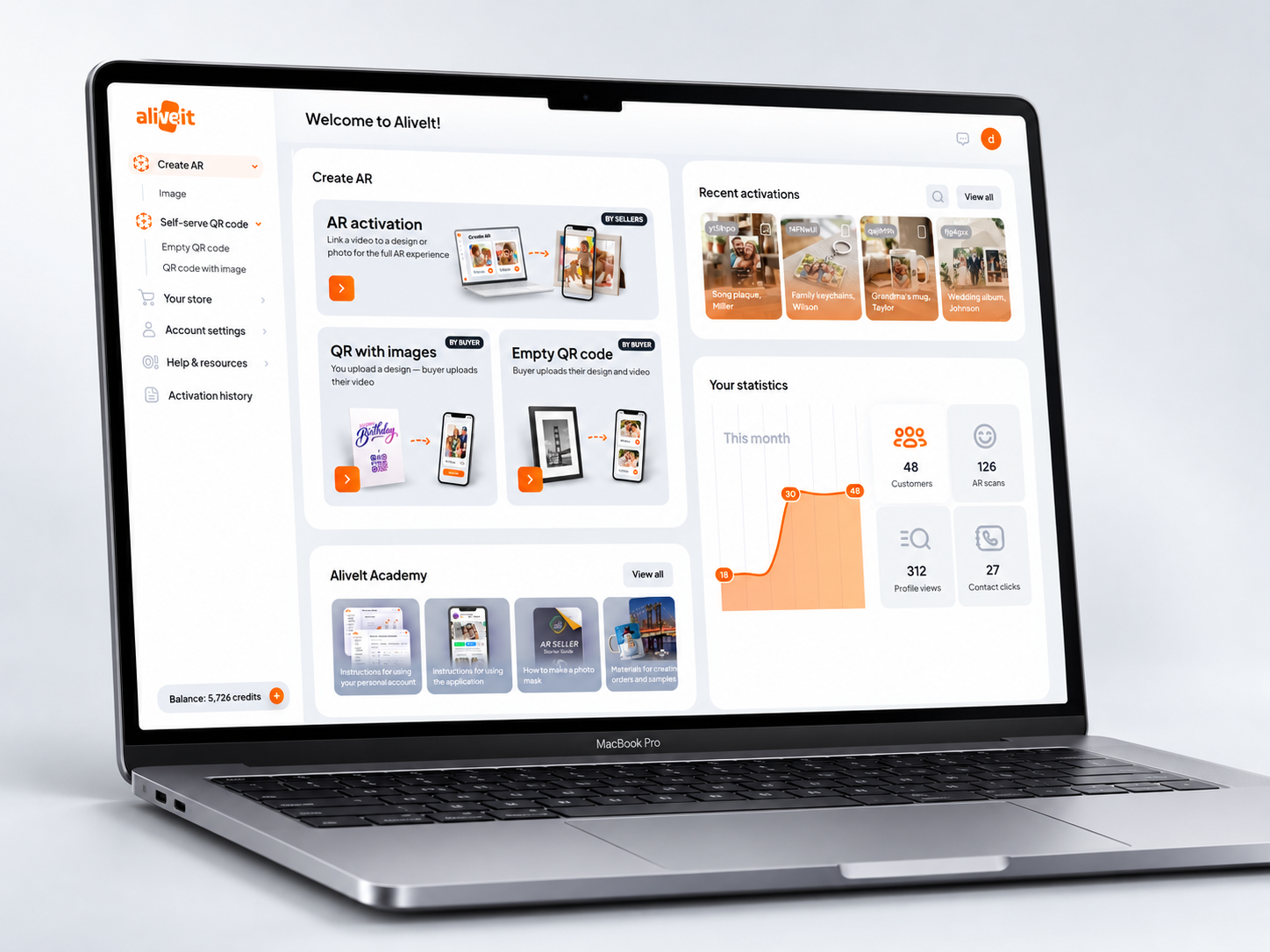
Adding AR to a souvenir product takes four steps.
For bulk orders: Use Upload in bulk to upload multiple trigger images and attach a different video to each in one workflow. You'll receive a file with all the scan links — one per product — ready to hand off to production.
How to present AR to your customers and drive more sales
The product is only half the equation. How you describe it, photograph it, and present it to shoppers on Etsy, Amazon Handmade, or Shopify determines whether you get the premium price or get overlooked.
Your listing title and description
AR" and "augmented reality" are meaningless to most gift buyers. Lead with the experience, not the technology.
Instead of: "Photo keychain with AR technology"
Write: "Animated photo keychain — scan to watch the video play"
Instead of: "Song plaque with augmented reality"
Write: "Song plaque that plays your video when scanned — no app needed"
In the description, explain the experience in three short sentences: (1) You receive your keychain, (2) scan the QR code with any phone camera, (3) your video plays — no app, no download. The phrase "no app needed" matters more than any other copy element. It removes the #1 customer objection before buyers even ask.
Instead of: "Photo keychain with AR technology"
Write: "Animated photo keychain — scan to watch the video play"
Instead of: "Song plaque with augmented reality"
Write: "Song plaque that plays your video when scanned — no app needed"
In the description, explain the experience in three short sentences: (1) You receive your keychain, (2) scan the QR code with any phone camera, (3) your video plays — no app, no download. The phrase "no app needed" matters more than any other copy element. It removes the #1 customer objection before buyers even ask.
Product photos that sell the AR experience
Your listing needs at least one image showing what the AR experience looks like. The most effective format: the physical product on one side, a phone showing the video playing on the other. If you don't have this photo yet, ask a friend to scan the product while you photograph it from behind. That single image does more for conversions than any description.
The video demo
A short product video (15–30 seconds) showing someone scanning the product and watching the video play is the highest-converting asset for AR listings. On Etsy, this becomes the main listing video. On Instagram or TikTok, it becomes the post itself.
The formula: show the physical product → show the phone scanning → show the buyer's reaction. The reaction is the most important part. Genuine surprise or emotion in that moment will drive more sales than any copywriting.
The formula: show the physical product → show the phone scanning → show the buyer's reaction. The reaction is the most important part. Genuine surprise or emotion in that moment will drive more sales than any copywriting.
How to collect the buyer's video
How to Collect the Buyer’s Video
After the buyer receives their order, send them a message through Etsy:
“Thank you for your order! To create your animated [product name], please send us the video you’d like to attach — up to 60 seconds, any format. You can reply to this message or email it to [your email].”
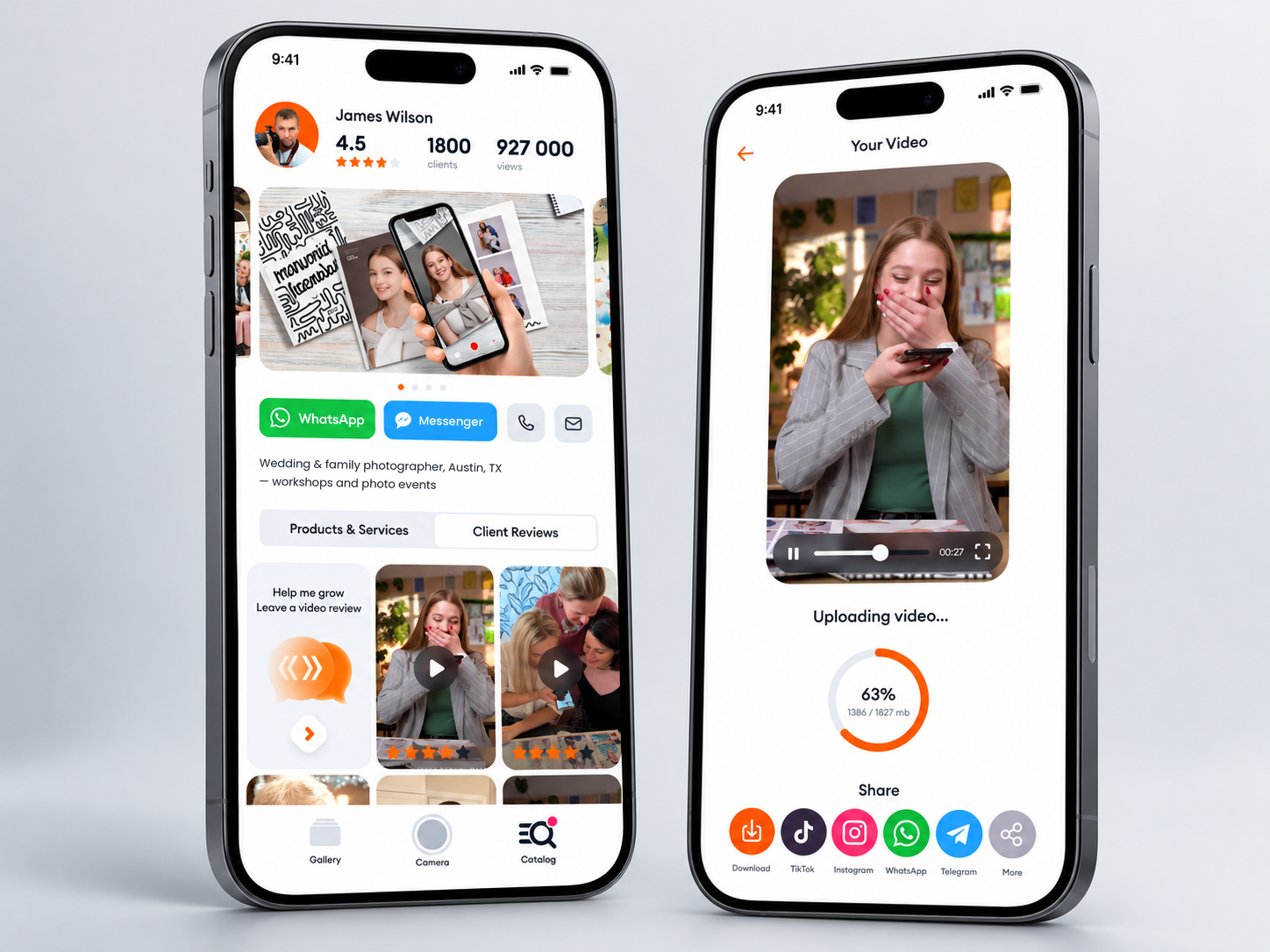
Alternatively, if you use AliveIt, buyers can record their reaction video directly inside the app and leave a review at the same time. You then get the footage automatically — no back-and-forth needed. With the buyer’s permission, that video becomes ready-made content for your social media and product listings.
After the buyer receives their order, send them a message through Etsy:
“Thank you for your order! To create your animated [product name], please send us the video you’d like to attach — up to 60 seconds, any format. You can reply to this message or email it to [your email].”
Alternatively, if you use AliveIt, buyers can record their reaction video directly inside the app and leave a review at the same time. You then get the footage automatically — no back-and-forth needed. With the buyer’s permission, that video becomes ready-made content for your social media and product listings.
You're one product away from testing this
AR on physical products is still early. Most Etsy sellers haven't touched it yet — which means the window to stand out is wide open. You don't need a new product line. You don't need a production team. You need one existing product, one video, and about 10 minutes.
Here's the full path, start to finish:
Here's the full path, start to finish:
Frequently asked questions
Do my customers need to download an app?
No. Customers scan the QR code with the phone camera app that came with their iPhone or Android. No download, no account, no friction on the buyer's side.
How long does setup take?
Under 10 minutes to register and create your first AR product. Once you’ve done it once, each new product takes just 2–3 minutes.
What video format should I use?
MP4 works best. Keep videos under 60 seconds. For most personalized gift products, 10–30 seconds is the sweet spot — long enough to feel meaningful, short enough to replay.
Can I let customers upload their own video?
Yes. With the Self-serve QR code option in AliveIt, your customer scans the code and uploads their own video directly. This works well for any product where the buyer chooses the content themselves.
Can I let customers upload their own video?
There are two easy ways:
Bonus: once the video plays, the customer can record a video review right in the app. It appears in the Client Reviews section of your seller profile, and they can share it to TikTok, Instagram, or WhatsApp in one tap.
- Ask for it with the order. Add a request to your order confirmation: the customer sends the video through Etsy messages, email, or a file-sharing link, and you attach it in AliveIt.
- Let the customer upload it themselves. Use an empty QR code: the customer scans it and adds their own video right in the AliveIt app. No back-and-forth needed.
Bonus: once the video plays, the customer can record a video review right in the app. It appears in the Client Reviews section of your seller profile, and they can share it to TikTok, Instagram, or WhatsApp in one tap.
What happens if a customer loses their product — can they still watch the video?
After the first scan, the video is saved directly to the customer's device. They can replay it anytime, even without the physical product.
What products can I use AR on?
Any product that has a photo or image on it. Keychains, ornaments, song plaques, photo magnets, greeting cards, calendars, business cards, printed albums, canvas prints, acrylic prints, and more. If it has an image, it can have AR.
What if I produce many orders at once?
Use the Upload in bulk feature in AliveIt. Upload all your trigger images at once, attach a video to each, and get all the QR codes and scan links in one export.